Warmer days means big summer plans. From warm lake days to cool summer nights, preparing your pets for all the summer fun doesn’t have to disrupt your schedule. Now that booking is available online, you can book your pet’s appointment right from your fingertips so they have all the vaccines and medications they need for a fun, healthy summer.
Take a look at how to book your own appointment through our online booking system.
1. Find your Clinic
Find your clinic by visiting https://emancipet.org/find-your-clinic/. On the clinic page of your choice, scroll down and select “Book Now”.

2. Select Your Client Journey
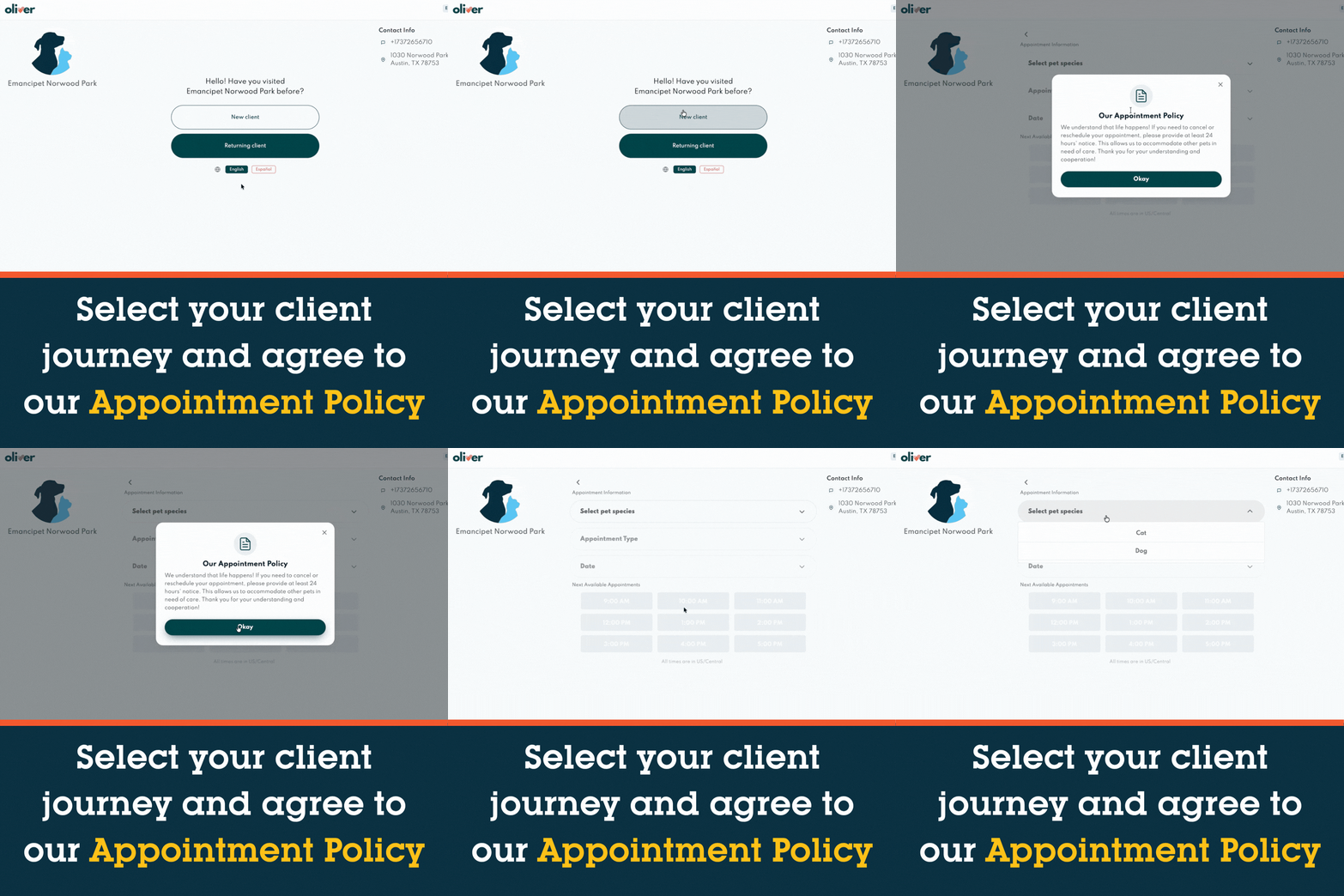
Whether you are a new client or a returning client, select your client journey. A pop-up will appear with our appointment policy. Read it thoroughly and accept to move forward in the booking process.
3. Update Your Pet Profile
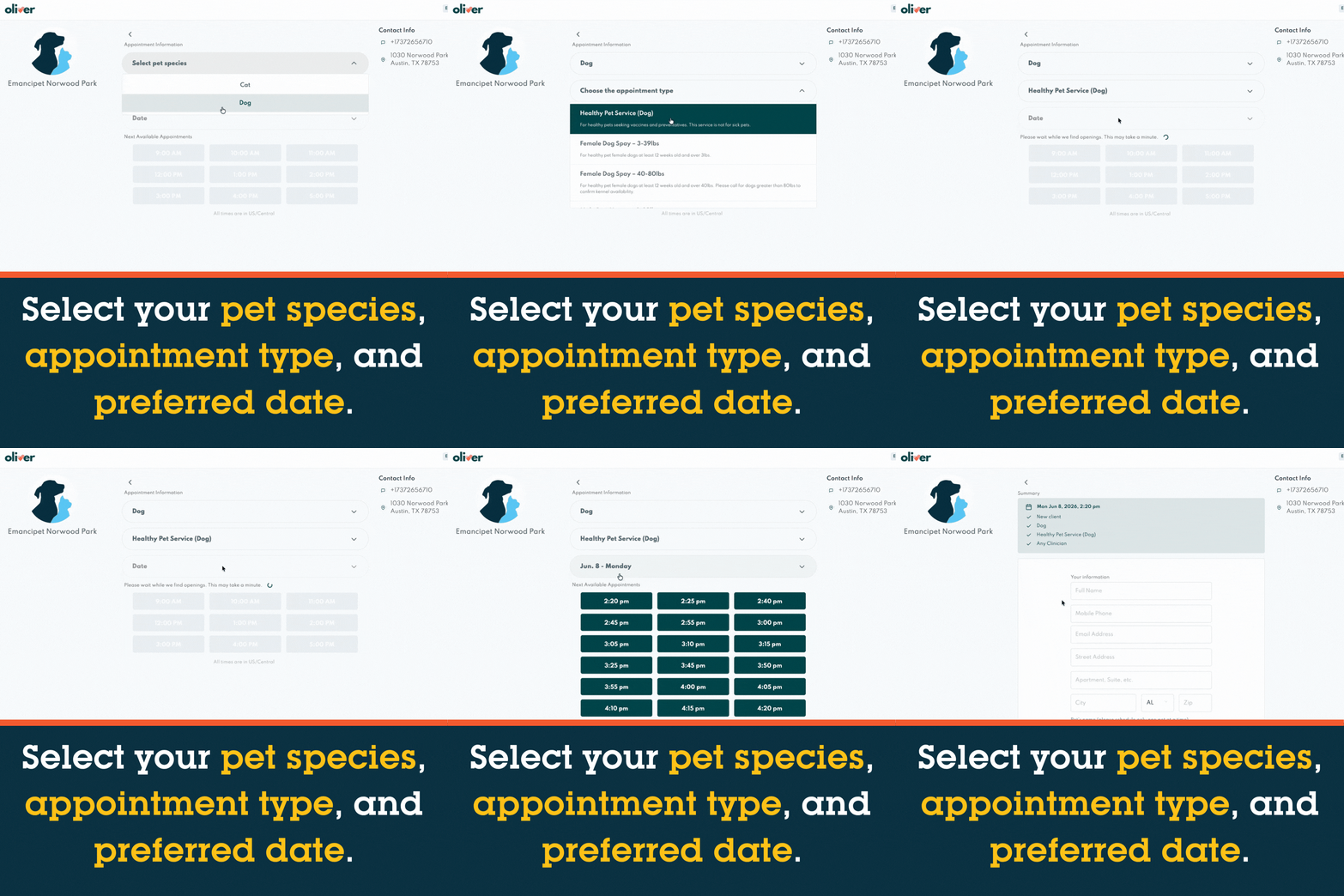
Select your pet’s species, whether you are booking for a Healthy Pet Service or a Spay/Neuter service*, and your preferred appointment date.
*please note: if you are booking a spay or neuter surgery, you will be able to select your date. Drop off time will be at the clinic opening.
4. Update Your Booking Information
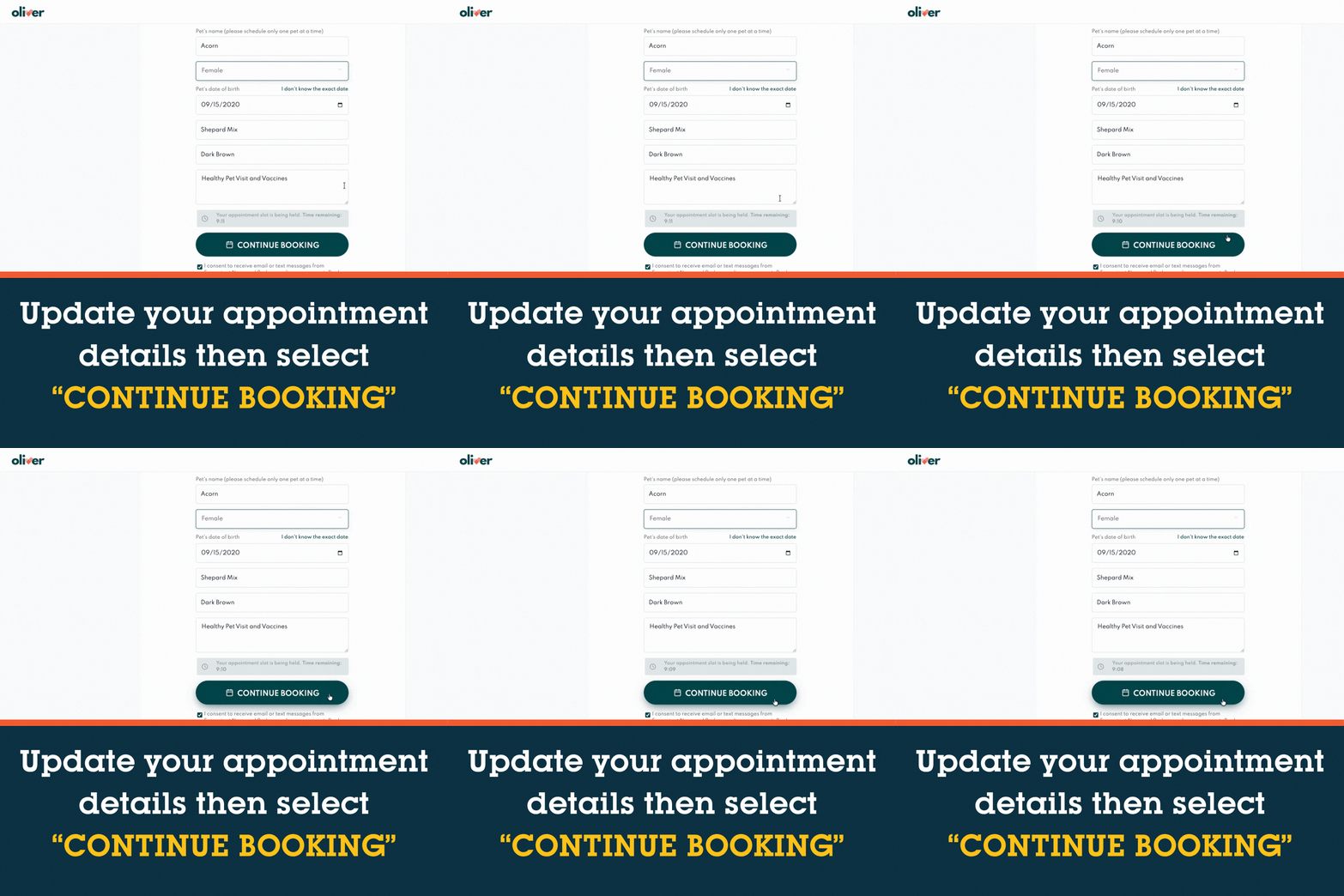
For new clients, update your booking information. This will include your profile information as the pet parent along with basic information about your pet’s name, breed, color, and any special notes that you’d like the Emancipet team to know ahead of your appointment.
If you are a current client, you will select the pet in your profile that you are booking an appointment for and any special notes that you’d like the Emancipet team to know ahead of your appointment.
Once completed, select “Continue Booking”.
5. You’re booked!
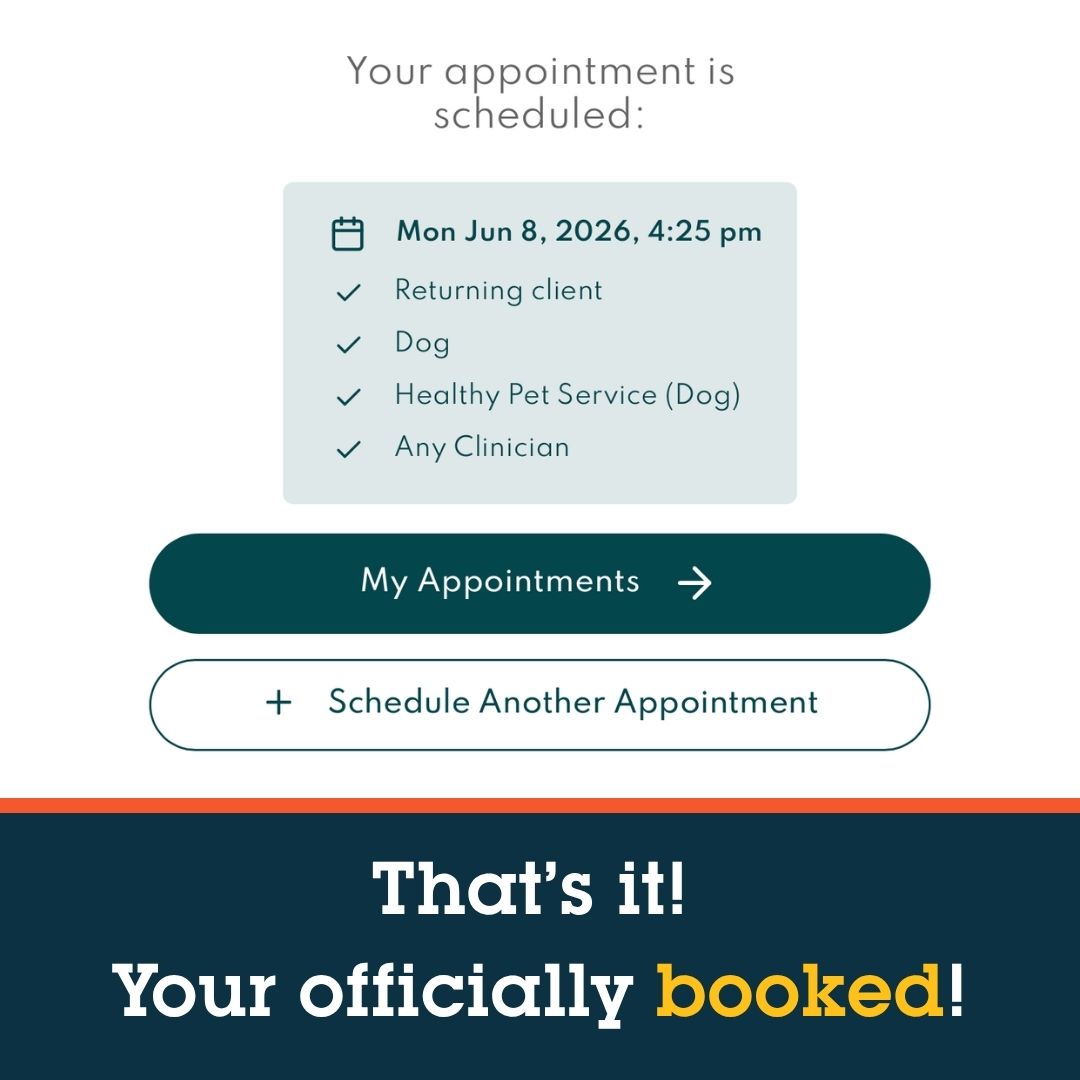
We can’t wait to see your pet in our clinic soon.
Plan ahead and find your local Emancipet clinic to book your pet’s low-cost vaccinations before summer vacation begins!